
 ES
ES

SSL Certificates and HTTPS: Do You Really Need Them for Your Website?
Today, HTTPS has become the standard for virtually all websites. However, many users and site owners still don’t fully understand why an SSL certificate is needed and what real benefits it provides.
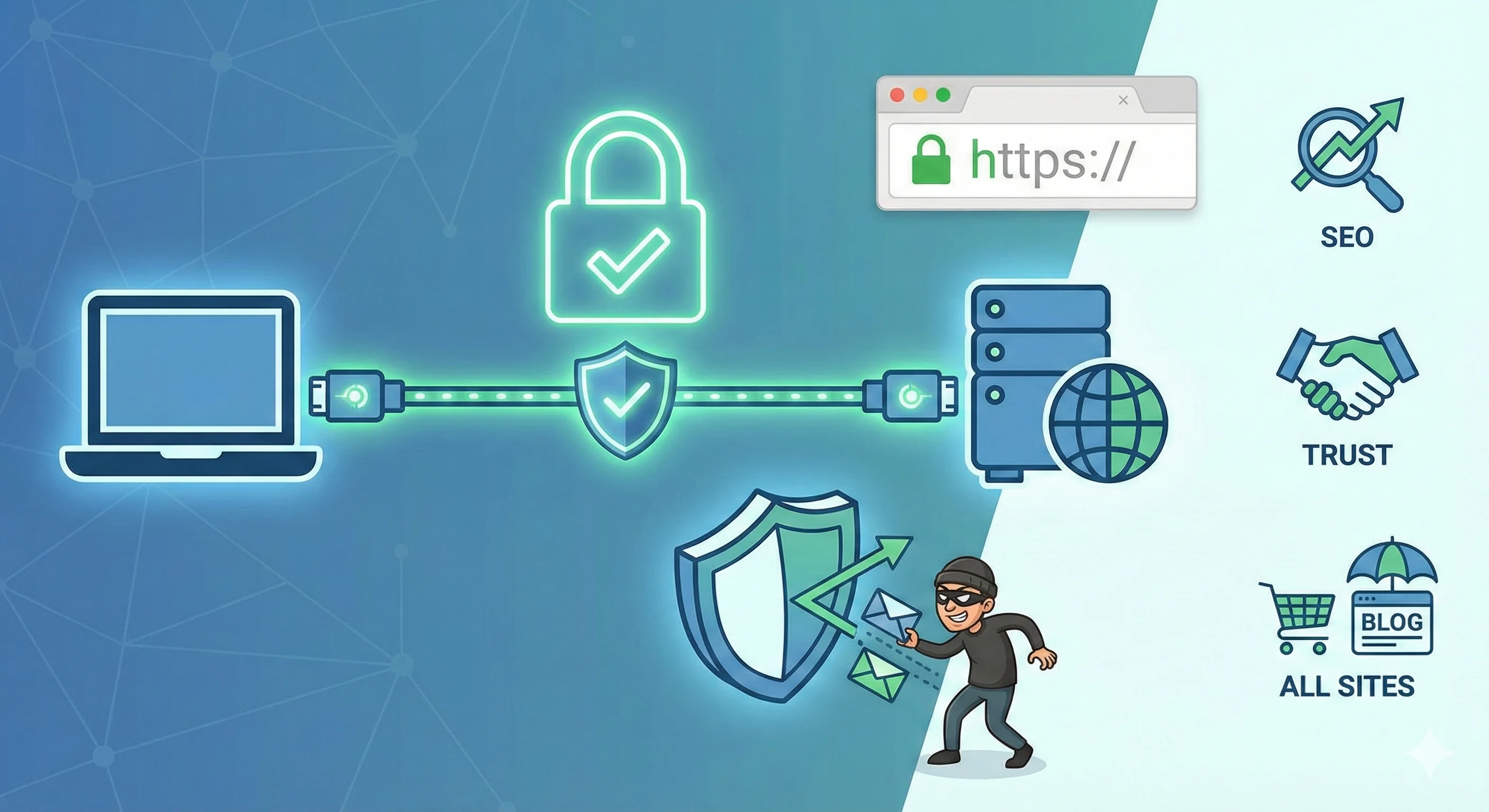
SSL is a technology that protects data transmitted between a user’s browser and a website’s server. When you see “https://” and a padlock icon in the address bar, it means the connection is encrypted and protected from interception.
What SSL Is Used For
SSL performs several key functions:
-
Data encryption. Any information — logins, passwords, card numbers, personal data — is transmitted in encrypted form, preventing interception by attackers.
-
Website authentication. The certificate confirms that you are communicating with the legitimate website, not a fake or spoofed version.
-
User trust. Modern browsers mark websites without HTTPS as “Not Secure.” This reduces trust and can scare visitors away.
How SSL Works
The way an SSL certificate works can be explained in simple terms:
-
The server obtains an SSL certificate from a trusted Certificate Authority (CA).
-
When a user opens the website, the server and the browser agree on an encryption method for the connection.
-
All data transmitted between the server and the browser is encrypted, so an attacker cannot read it.
This process happens automatically and takes only fractions of a second. For the user, the only visible difference is the padlock icon and the “https://” protocol in the address bar.
Types of SSL Certificates
There are several types of certificates, each suited to different use cases:
-
DV (Domain Validation). Confirms only domain ownership; suitable for small websites and blogs.
-
OV (Organization Validation). Confirms both the domain and the organization; commonly used for corporate websites.
-
EV (Extended Validation). Provides the highest level of verification and may be displayed in the browser with the company name highlighted.
-
Wildcard. Protects the main domain and all its subdomains.
-
Multi-domain (SAN). A single certificate that covers multiple domains.
The choice depends on the website’s goals, the number of subdomains, and the level of trust you want to convey to users.
Practical Benefits of HTTPS for a Website
SSL and HTTPS offer not only formal compliance, but real, practical advantages:
-
Protection of user data. Without encryption, data can be intercepted on public networks, such as Wi-Fi in cafés or airports.
-
Increased trust. Visitors see the padlock icon and feel confident that the site is secure.
-
SEO benefits. Search engines take HTTPS into account when ranking websites. A site with a certificate gains an advantage in search results.
-
Protection against man-in-the-middle attacks. SSL prevents third parties from interfering with communication between the user and the server.
Even if a website does not collect personal data, HTTPS improves overall security and helps avoid issues with browsers and search engines.
Real-World SSL Use Cases
To better understand why SSL is needed, let’s look at a few practical scenarios:
-
Public Wi-Fi networks.
Imagine opening an online store website in a café. Without HTTPS, your login and password are transmitted in plain text. An attacker on the same network could intercept them. With SSL, the data is encrypted, and an observer sees only meaningless symbols. -
Contact forms on a website.
Even if there is no online payment, contact forms may contain personal data such as names, email addresses, or phone numbers. HTTPS protects this information and prevents leaks. -
Online stores and card payments.
Any e-commerce website must use HTTPS. Without a certificate, browsers warn users that the site is unsafe, which reduces trust and directly affects sales. -
Protection of corporate data.
Companies that provide customer dashboards or personal accounts use SSL to securely exchange data between the server and users, preventing unauthorized access to sensitive information.
Practical Tips for Working with SSL
-
Choose the right certificate type. A DV certificate is sufficient for a personal blog; businesses usually need OV or EV. If the site has multiple subdomains, a Wildcard certificate is often the best option.
-
Monitor the expiration date. Certificates have a limited validity period. An expired certificate triggers browser warnings and damages user trust.
-
Set up redirects. After installing a certificate, configure redirects from HTTP to HTTPS. This ensures correct redirection for both users and search engines.
-
Check the certificate chain. An incorrectly configured certificate chain can cause connection errors and fail to provide full protection.
-
Use modern protocols and encryption algorithms.
SSL has effectively been replaced by TLS (Transport Layer Security), which is more secure and faster. Modern browsers require TLS 1.2 or higher for proper operation.
Common Mistakes to Avoid
-
Using self-signed certificates for public websites. These do not verify authenticity and trigger browser warnings.
-
Ignoring certificate renewals. An expired certificate makes a website appear “unsafe” to users.
-
Failing to redirect HTTP to HTTPS, which leads to duplicate pages and SEO issues.
Final Thoughts: Why HTTPS Is Mandatory for ALL Websites
-
Traffic encryption is not a luxury, but a basic requirement of modern online security.
-
SSL certificates can be obtained for free, and installation is often just “one click.”
-
Lack of HTTPS significantly undermines trust in a website, even if you personally don’t think it matters.
-
A secure connection is mandatory for payment systems, authentication, GDPR compliance, and search engine visibility.
Even if you run a small website without user accounts, enabling HTTPS is easy and the benefits are substantial. And if you’re a user, always look for the padlock icon in your browser and prefer websites that take your security seriously.